Voice Notes
Voice notes let you add to a job without typing -- useful with dirty hands or under the car. Your speech is recorded and transcribed on the server (Amazon Transcribe), so it works on any device and browser; you briefly see Transcribing… and then the text.
In a browser (tablet or desktop)
Tap Note in the quick-action row. The Voice note sheet has two hold-to-talk buttons:
- Hold to Note -- press and hold, speak, release. The note is saved to the job straight away, marked with a 🎙️ so the desk can tell it from a typed note. It is shown back to you as Note saved: … with a bin icon for a few seconds if it got it wrong.
- Hold to Ask AI -- the same, but the words go to MechIQ as a question and the answer comes back in the sheet. See Ask AI.
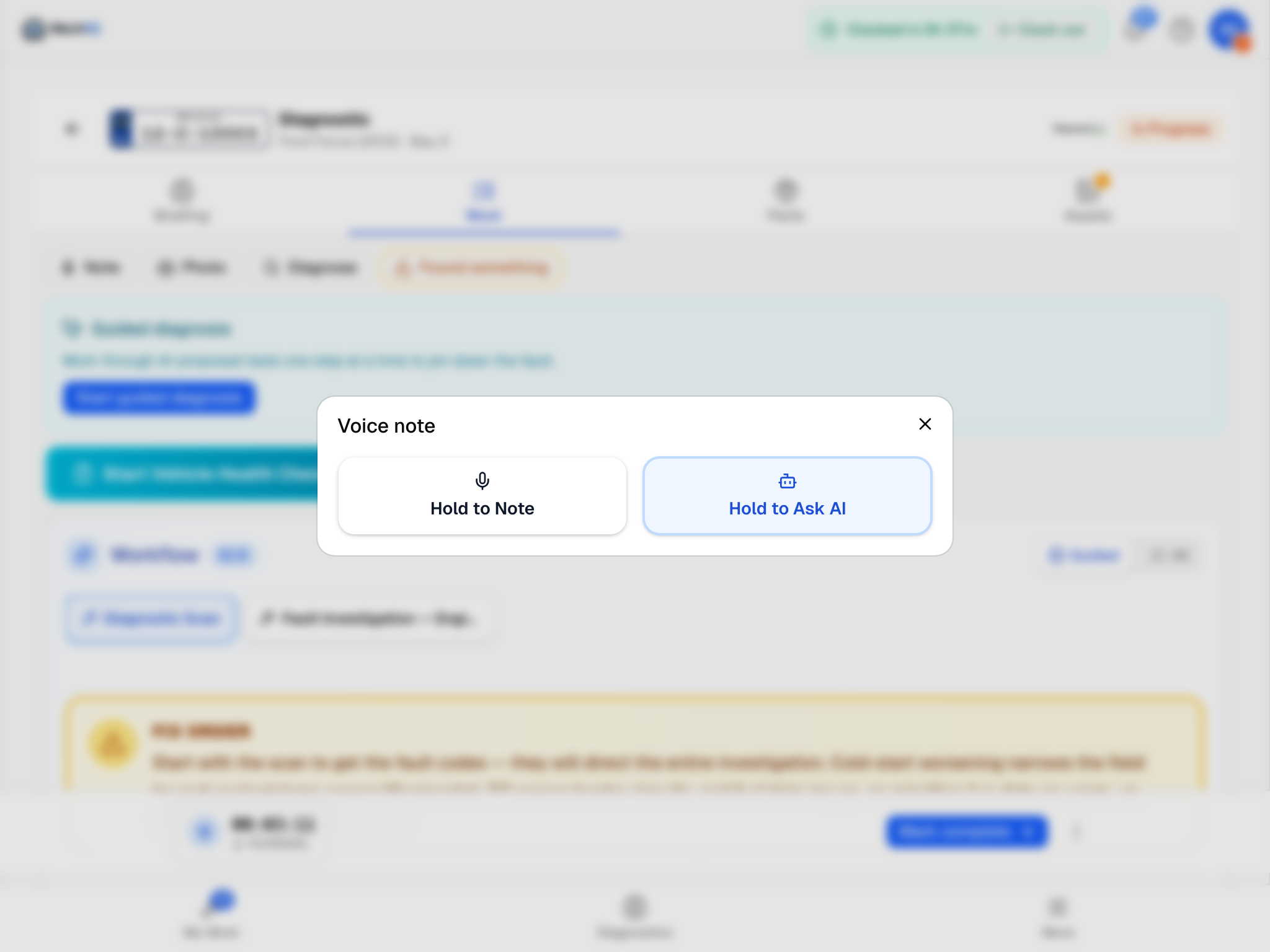 Hold to talk, release to send. The web saves the note as soon as it is transcribed.
Dictation also sits inside other boxes on the web job: the Run a diagnosis text (microphone button), the Not needed reason (microphone button), the VHC item notes and overall notes (Dictate), and the AI feedback button after a verdict (Hold to Give AI Feedback).
The QC Fail reason box is the exception -- it is typing only, on both surfaces.
On the native app
Dictation is not a separate button -- it sits inside the boxes you would otherwise type into:
- Tap + on the job and choose Add note.
- Tap Dictate, speak, tap again to stop. The transcript drops into the box.
- Check it, fix anything the noise mangled, and tap Save note.
The same Dictate button is on Ask MechIQ, Send to the desk to price, Diagnose and the VHC's item notes. The native app lets you check the text before it goes; the web saves a note as soon as it is transcribed.
Tips
- Speak clearly at a normal pace; a few sentences is plenty.
- Notes are visible to the desk and end up in the completion summary.
- If transcription fails (bad signal, very noisy bay) you get a short message and nothing is saved -- Could not transcribe -- try again. in a browser, Could not transcribe -- type it instead. on the native app. Typing is never blocked.
- Release the button too quickly and the browser says Nothing recorded -- hold the button while you speak. Hold it for as long as you are talking.
- Voice does nothing to the job status -- it is notes and questions only.