Courtesy Cars
If your garage lends cars to customers while theirs is in, the Courtesy Cars page keeps track of the fleet and who has what.
It is optional. Courtesy Cars only appears in the sidebar (under Customers & Vehicles) once a garage admin has ticked Enable courtesy-car management in Settings -> Workshop Options. If you lend cars and cannot see the page, ask your admin to turn it on.
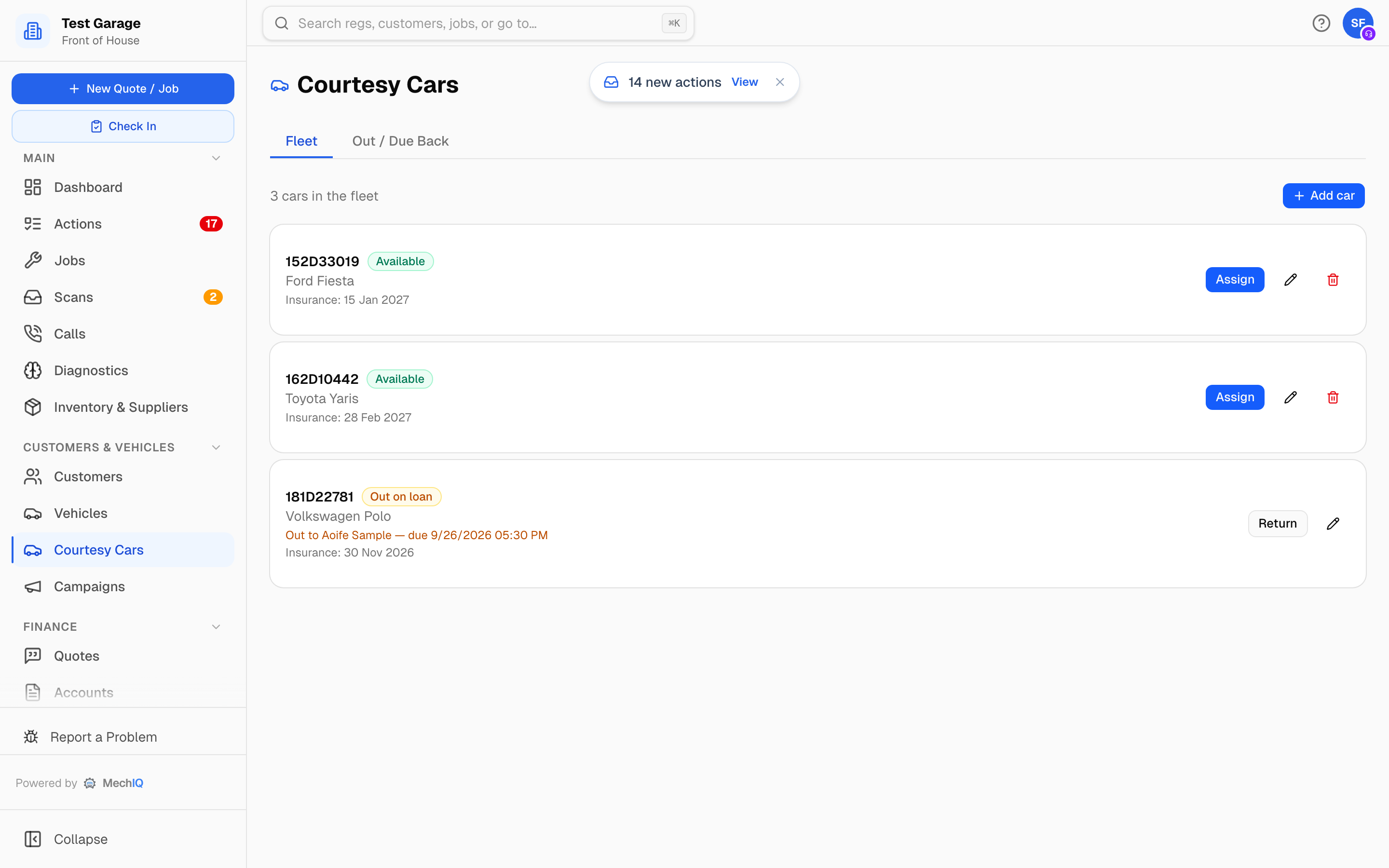 The Fleet tab: every car on the register with its status and what it is doing right now.
The page has two tabs: Fleet and Out / Due Back.
Put a car on the register
- On the Fleet tab click Add car.
- Fill in Registration, Make and Model -- all three are needed before you can save.
- Optionally set Insurance expiry and a note.
- Click Add car.
Click anywhere on a car's card (or its pencil icon) to edit it later. The bin icon retires a car: it disappears from the fleet but its loan history is kept. You cannot retire a car while it is out.
Each car's status
- Available -- ready to lend. Has an Assign button.
- Out on loan -- with a customer. The card says who has it and when it is due back (due today 14:30, due 05/10/2026 09:00, no return date set, or overdue (...)), and has a Return button.
- Off the road -- shown if a car was taken off the road; it cannot be assigned.
Lend a car against a job
The usual route is from the job:
- Open the job. On the Job tab the Courtesy Car card sits in the right-hand column.
- Under Assign an available car: pick a car from Choose a car.... Only available cars are listed; if the fleet is all out you see No courtesy cars are available right now.
- The Assign courtesy car dialog opens, linked to this job. Under Who's taking the car the job's customer is pre-selected; other contacts on the vehicle are offered too, or pick Someone else... and type their name.
- Set Due back if you agreed a time, then click Assign.
You can also lend a car from the Fleet tab with its Assign button. That loan is not linked to a job, so type the customer's name under Customer (optional).
Return a car
Click Return car on the job's Courtesy Car card, or Return on the car in Fleet or Out / Due Back. The car goes straight back to Available.
Out / Due Back
This tab lists only the cars currently out, soonest due first, each with the customer's name and its due-back time. A due-back time that has passed is shown in red. Use it at the start of the day to see who should be dropping a car back.
Insurance reminders
Record each car's Insurance expiry and MechIQ raises a Courtesy car insurance due notification for garage admins ahead of the date, on the same lead times as your customer reminders. If the garage has reminders switched off, no courtesy-car reminders go out either.
Tips
- Always record the return -- Out / Due Back is only as accurate as the desk keeps it.
- Lend from the job where you can. The loan then shows on the job and the customer's name is filled in for you.