Calls and Caller ID
When your garage's phone system is connected to MechIQ, every call is logged, an incoming call pops the caller's record on screen, and missed calls are flagged until someone rings back.
The connection is set up once by MechIQ, not from your Settings: your phone provider points its call events at MechIQ and we hold the matching key for your garage. Ask us (Report a Problem, or your usual contact) with your provider's name and we will arrange it. If calls are not appearing, that has not been done yet -- calls you log by hand (see Message History and Receipts) still appear here.
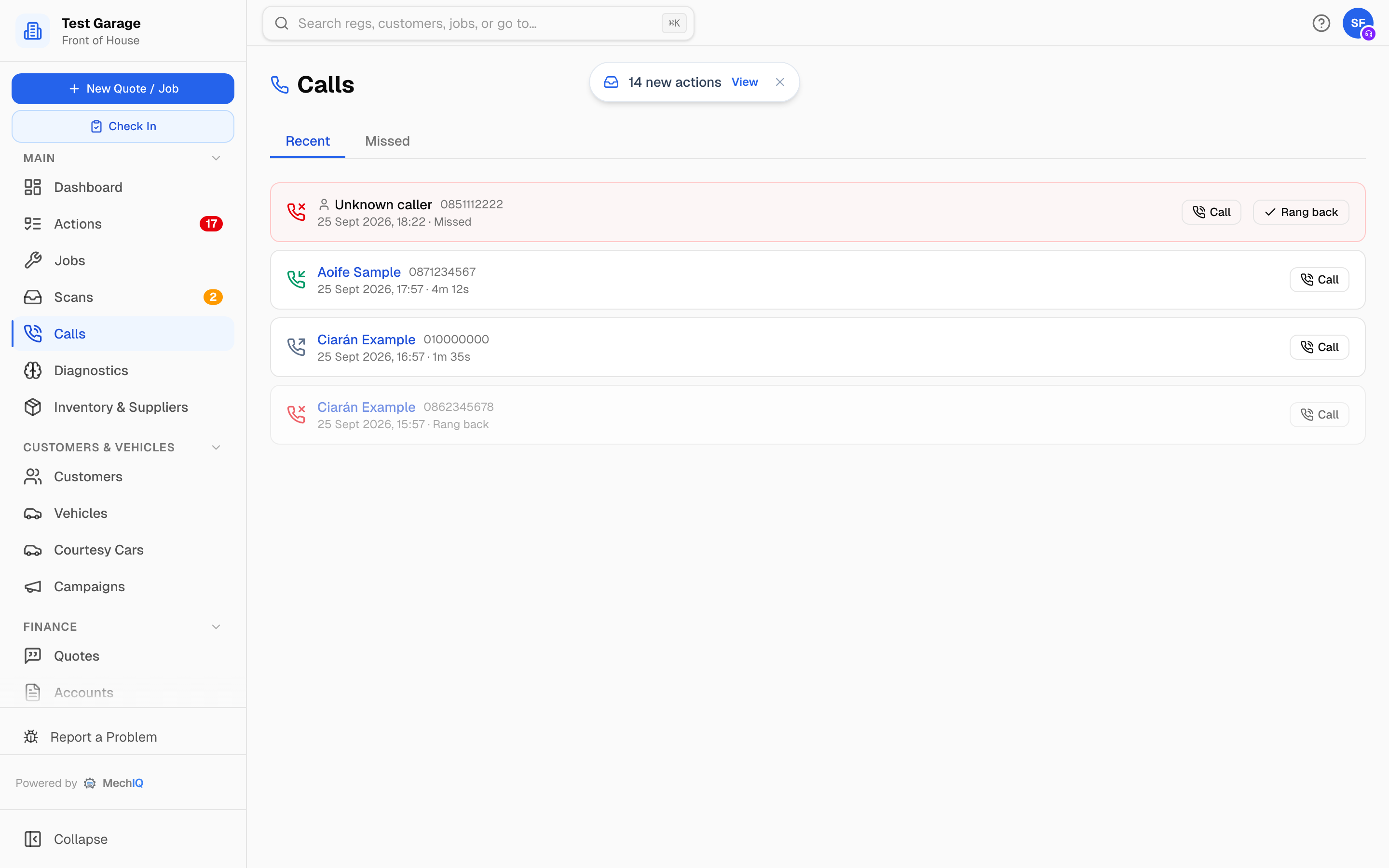 The Calls page: missed calls highlighted, known callers linked to their record.
The screen-pop
When the phone rings, an Incoming call card appears top-right on whatever page you are on:
- A known customer -- their name, number and vehicle, with Open customer to jump to their record and Call back.
- An Unknown caller -- just the number.
It clears itself after 25 seconds, or click the X.
The Calls page
Calls (sidebar, under Main) has two tabs:
- Recent -- every call, newest first.
- Missed -- calls that rang out, for ringing back.
Each row shows the caller (a link to the customer, or Unknown caller), the number, when, and the duration or Missed. If the customer has an open job, the row links to it -- the one whose extra work is with them to approve first -- so you know what they are probably ringing about.
Ring back a missed call
Click Call on the row to dial from your device's phone or softphone, then click Rang back. The row fades and picks up a · Rang back note -- but it stays on the Missed tab, which is a record of every missed call rather than a list that empties.
What the ring-back does clear is the chasing: missed calls put ONE Missed calls to ring back row on the desk's Actions board (it counts the calls nobody has dealt with and closes when the last one is), and the dashboard's Follow-ups tab shows a Missed calls -- need ringing back tile that opens this page. That tile counts only the calls nobody has rung back yet, so it goes once you have worked the list.
Click-to-call
Phone numbers on customer records, job pages and the Customers page queues are links. Click one to dial without keying it in.
Tips
- Work the Missed tab at quiet moments. A missed call is usually someone trying to book or chase a job.
- When an unknown caller turns out to be a customer, add their number to the record so the next call pops with their name.