Plan & Billing
Settings → Plan & Billing (garage admin only) is where your MechIQ subscription lives. MechIQ is priced by how many technicians you have; front-of-house and admin accounts are unlimited on every plan. Prices are ex VAT — VAT is added on the invoice.
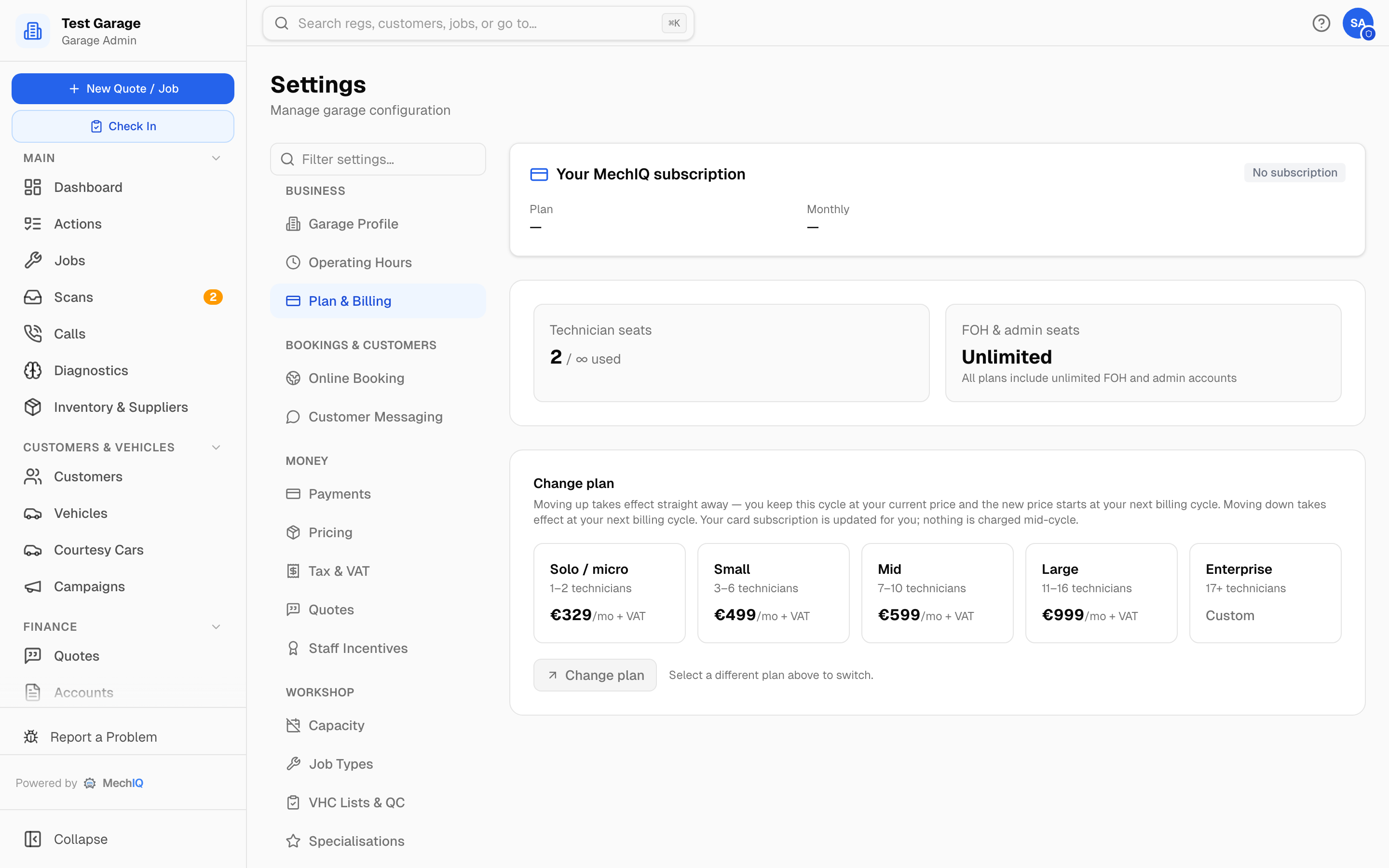 Plan & Billing. The top card is your subscription; the tiles below are the plans.
Your MechIQ subscription
The top card shows:
- Status — Active, Free trial, Awaiting card (you've started but the payment provider hasn't confirmed the card yet — the page keeps checking), Payment overdue, Cancelled, or No subscription.
- Plan and Monthly price, with a Founding badge and "Founding rate until …" date if your garage is on a founding rate.
- Cancel subscription — asks you to confirm. You keep full access until the end of the period you've already paid for, and nothing more is charged. The card then shows "Your subscription ends on …" with a Keep my subscription button — press it any time before that date and the subscription carries on as normal. After the end date you have a short grace period; contact support before then if you want a data export.
- Restart subscription — shown when the subscription is cancelled or lapsed. You add a card on the payment provider's secure page and come back on the same plan. Any free-trial time you had left is honoured; a trial never starts again (one per garage).
Card details are entered on the payment provider's page — MechIQ never sees them.
If a payment fails
An amber banner tells you we couldn't take the last payment and the date you have until to update your card (a short grace period). Past that date access becomes limited and the banner turns red — email support@mechiq.ie to reactivate.
Front-of-house staff see the same banner, without the billing link — it asks them to let a garage admin know, since only admins can manage the subscription.
Seats
- Technician seats — active technicians against your plan's limit. A seat is used by anyone with Works on jobs ticked on the Team page: that is what lets someone clock onto and complete jobs, so it is what the licence pays for. Whether they're also booked in the diary makes no difference — a manager who covers jobs without being scheduled still uses a seat. Someone who holds the technician role only to switch views, with Works on jobs unticked, doesn't count and also can't work on jobs.
- Going over the limit — adding someone past your plan's technician count doesn't fail; MechIQ tells you which plan it moves you to and the monthly price, and asks. Confirm and the person is added immediately, with the new price starting at your next billing date. Nothing is charged on the day.
- FOH & admin seats — unlimited on every plan.
Plans
The plan names are the same as on mechiq.ie. At signup MechIQ asks How many technicians, including you? and picks the plan from the answer — with no answer it is Starter. While founding places are open, the signup page shows the founding price beside the standard one.
| Plan | Technicians | Monthly (ex VAT) |
|---|---|---|
| Starter | 1–2 | €329 |
| Growing | 3–6 | €499 |
| Professional | 7–10 | €599 |
| Large | 11–16 | €999 |
| Enterprise | 17+ | Custom — contact us |
Changing plan
Click a plan tile, then Switch to … and Confirm. The confirmation spells out the timing:
- Moving up takes effect straight away — your technician limit rises immediately. You keep the rest of this cycle at your current price; the new price starts at your next billing cycle.
- Moving down takes effect at your next billing cycle — you keep your current plan until then. A Scheduled banner shows the pending change; re-select your current plan to cancel it.
Your card subscription is updated for you; nothing is charged mid-cycle. Without a live card subscription (for example a garage billed by invoice) a change applies immediately either way.
Related
- Team Management — who counts as a technician seat.
- The subscription is started during the setup wizard for card-billed garages.