Garage Profile Settings
Settings → Garage Profile (garage admin only) holds who your garage is: the details that print on invoices and customer messages, your region, and your login session length.
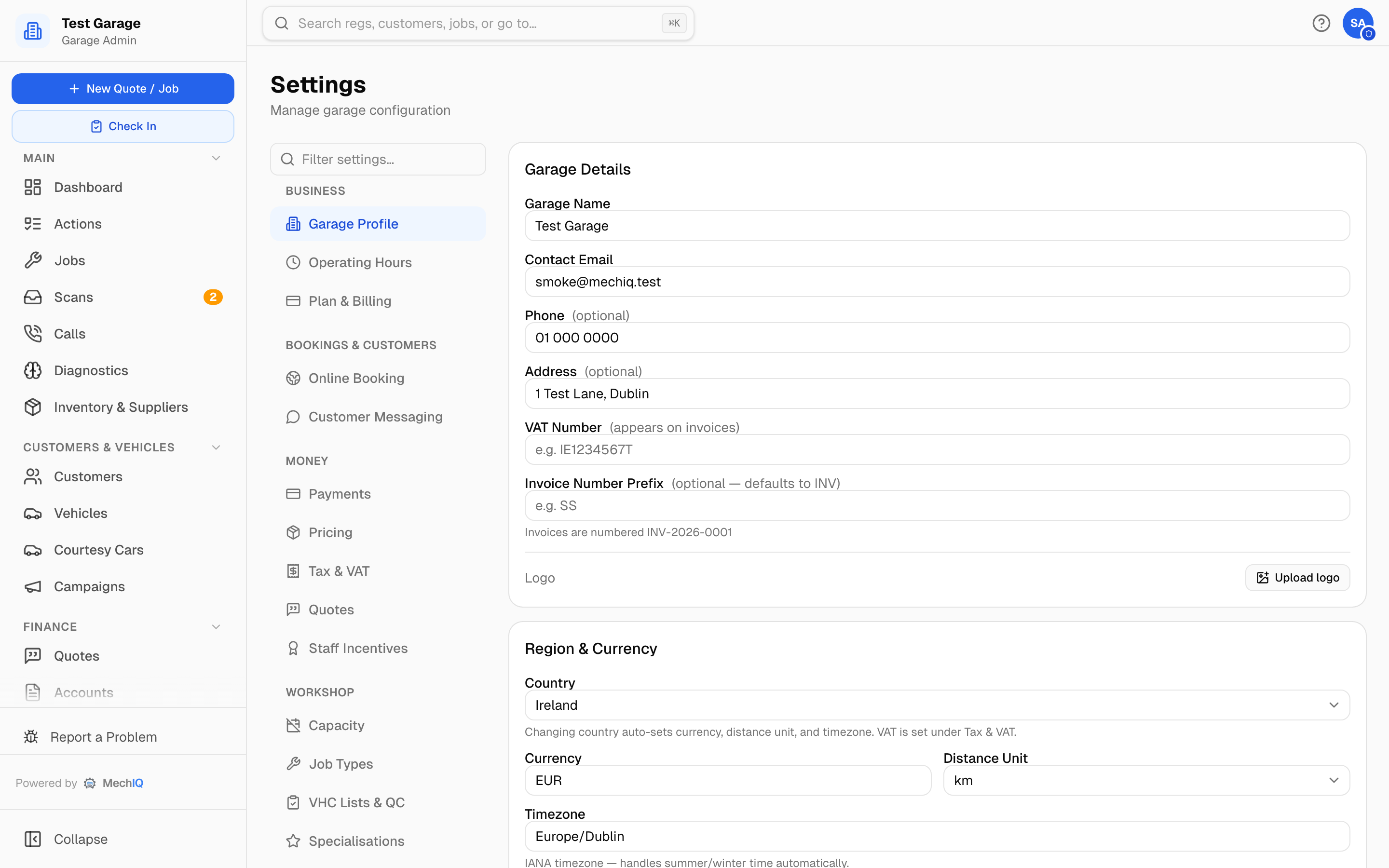 Settings → Garage Profile. Edit any field and click Save changes in the bar at the bottom; the logo uploads straight away.
Garage Details
- Garage Name — shown to customers everywhere: invoices, quotes, texts, the booking page.
- Contact Email — where MechIQ sends the garage's own mail (the weekly summary, for example).
- Phone (optional) — printed on invoices and used as
{garage_phone}in reminder texts. - Address (optional) — start typing, or type an Eircode and pick the match.
- VAT Number — appears on invoices (e.g.
IE1234567T). - Website (optional) — printed in the footer of every invoice and credit note, beside your phone and email.
- Invoice Number Prefix (optional) — letters and digits only, up to 10 characters. Invoices are numbered
PREFIX-YEAR-NNNN; leave it blank and the prefix isINV. The note under the field shows the real number your next invoice will get. Each prefix has its own series, so a new prefix in the middle of a year starts again at 0001: when you have already issued invoices this year, a warning says so. You can still change it -- invoices already issued keep their numbers. Tell your accountant first. - Logo — click Upload logo (PNG, JPEG or WebP, under 2 MB — not SVG). It appears on invoices, quotes and customer emails. Change replaces it and the × removes it. Uploads save immediately and the page reloads.
Region & Currency
- Country — Ireland or United Kingdom. Changing it sets the currency, distance unit and timezone for you. It does not change VAT — VAT rates live under Settings → Tax & VAT.
- Currency, Distance Unit (km or miles) and Timezone (an IANA name such as
Europe/Dublin, which handles summer time itself) can each be adjusted on their own.
The line underneath shows the currency symbol currently in use.
Sessions
Login session length (hours) — how long a login lasts before staff have to sign in again. Default 8 hours (a workshop day); allowed range 1 to 720. It applies to new logins, so anyone already signed in keeps their current session.
Saving
Everything on this tab except the logo goes through the sticky save bar at the bottom of the Settings page — nothing changes until you click Save changes, and Discard puts it back.