Quote Settings
Settings → Quotes (garage admin only) has four settings. All save with the Save bar at the bottom of the page.
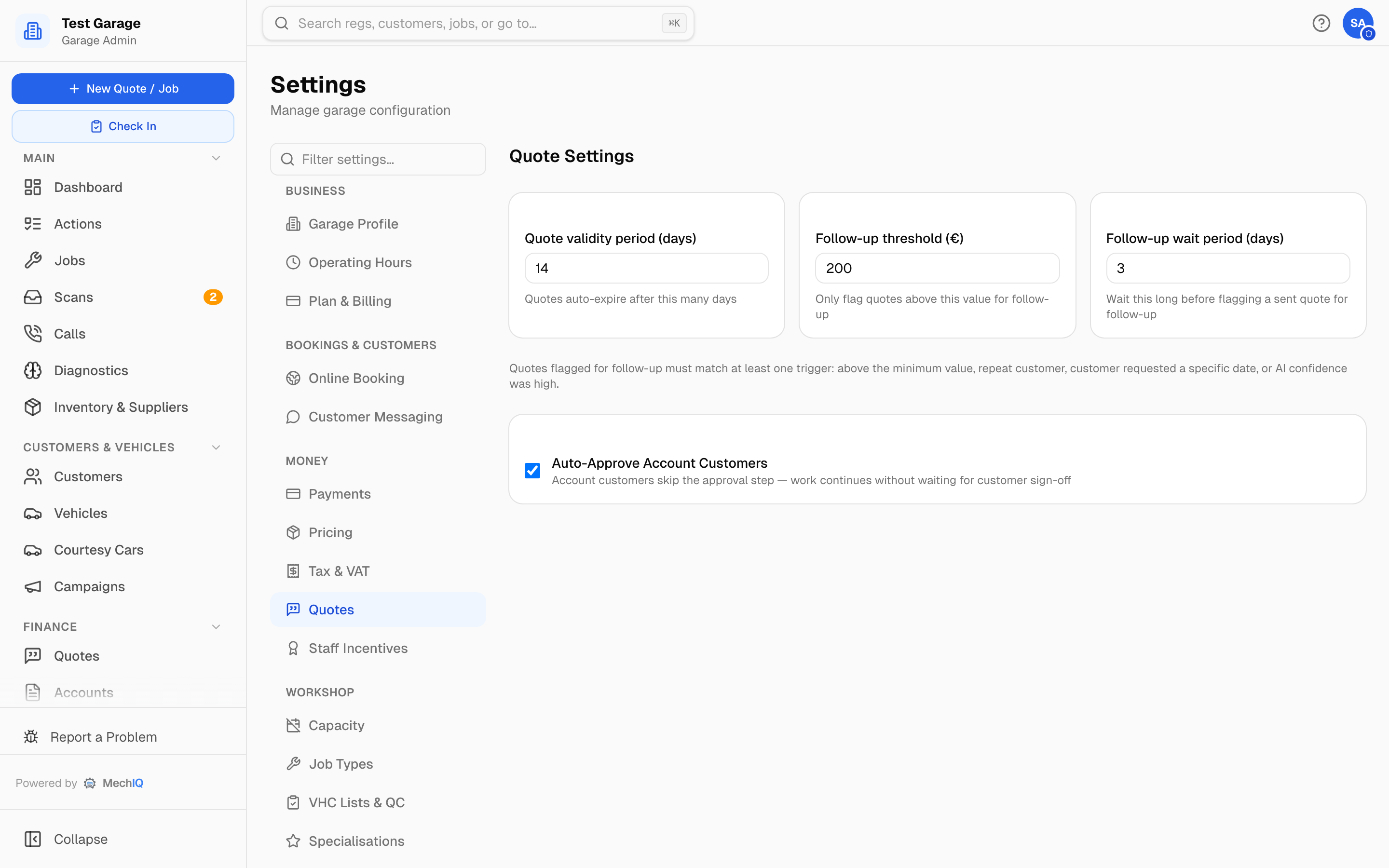 Settings → Quotes.
- Quote validity period (days) — default 7 (1–90). Draft and sent quotes auto-expire after this many days. The expiry date is not shown to the customer -- it drives the Expiring or expired -- re-quote or let go queue on the Quotes page, where a sent quote shows expires with its date once it is inside seven days of expiry.
- Follow-up threshold (€) inc VAT — default €200. Only quotes whose total (inc VAT) is above this value are flagged for follow-up on their own.
- Follow-up wait period (days) — default 3 (1–30). How long a sent quote sits without a reply before it's flagged as "gone quiet" on the dashboard's Follow-ups tab.
A quote is flagged for follow-up when it has been waiting that long and matches at least one trigger: above the minimum value, a repeat customer, the customer asked for a specific date, or the AI's confidence in the quote was high.
- Auto-Approve Account Customers — on by default. Account (trade) customers skip the customer-approval step, so work continues without waiting for sign-off. Untick it if your account customers should approve quotes and extra work like everyone else.
Related
- Quoting (FOH section) — building and sending quotes.
- Pricing — the rates and markups a quote is priced from.
- Trade Accounts — setting a customer up as an account customer.